
Table of Contents:
- KNIME
- Altair RapidMiner
- Alteryx
- Dataiku
- DataRobot
- H2O.ai (Driverless AI)
- Google Vertex AI (AutoML)
- Orange Data Mining
- Trifacta / Cloud Dataprep
- Microsoft Power Platform (Power BI + Power Apps + Power Automate)
- How to pick the right tool
- Where these tools fit in a learning path
- Practical tips for beginners
- Trade-offs to keep in mind
- Final thoughts
- FAQs
Data Science used to mean lots of code. But you don’t always need to write a lot of code to get useful results. Low-code and no-code tools lower the barrier. They help people clean data, build models, and make dashboards faster. This list explains ten popular tools, what they do, and when they make sense.
1. KNIME
What it is: A visual flow-based tool for data prep, analytics, and small ML tasks.
Who it’s for: Analysts, data engineers, students.
Why use it: Drag-and-drop nodes make workflows clear. You can add Python or R if you need more control.
Limitations: Big datasets may need stronger hardware. The interface has a learning curve.
What it is: A platform for building analytics pipelines with little or no code.
Who it’s for: Business analysts and teams building models quickly.
Why use it: Good for prototyping and repeatable workflows. It supports automated model selection.
Limitations: Advanced custom work is harder than in pure code.
3. Alteryx
What it is: A workflow tool focused on data prep, blending, and analytics.
Who it’s for: Teams that combine business and data work.
Why use it: Strong for ETL tasks and preparing data for reporting. It connects well to BI tools.
Limitations: Licensing can be pricey for small teams.
4. Dataiku
What it is: A collaborative platform for data projects. It mixes visual tools with code.
Who it’s for: Cross-functional teams — analysts, data scientists, engineers.
Why use it: Good for scaling projects and managing production pipelines. It supports both no-code recipes and code notebooks.
Limitations: Full features are in paid tiers. Setup can be heavier than single-user tools.
5. DataRobot
What it is: An AutoML platform that automates model building and evaluation.
Who it’s for: Teams that need fast model prototypes and standard ML pipelines.
Why use it: Automates many steps like feature engineering and model tuning. You get clear metrics.
Limitations: You get less visibility into model internals. Not ideal when custom modeling is required.
What it is: An AutoML solution for feature engineering and model building.
Who it’s for: Data teams wanting automated experimentation.
Why use it: Strong on automation and interpretable model outputs. It supports common ML tasks.
Limitations: It can be resource heavy. Licensing may matter for small projects.
What it is: Google Cloud’s suite for AutoML and model deployment.
Who it’s for: Teams already using Google Cloud or needing scalable services.
Why use it: Managed infrastructure, easy deployment, and integration with cloud data stores.
Limitations: Cloud cost can grow with usage. Requires some cloud knowledge.
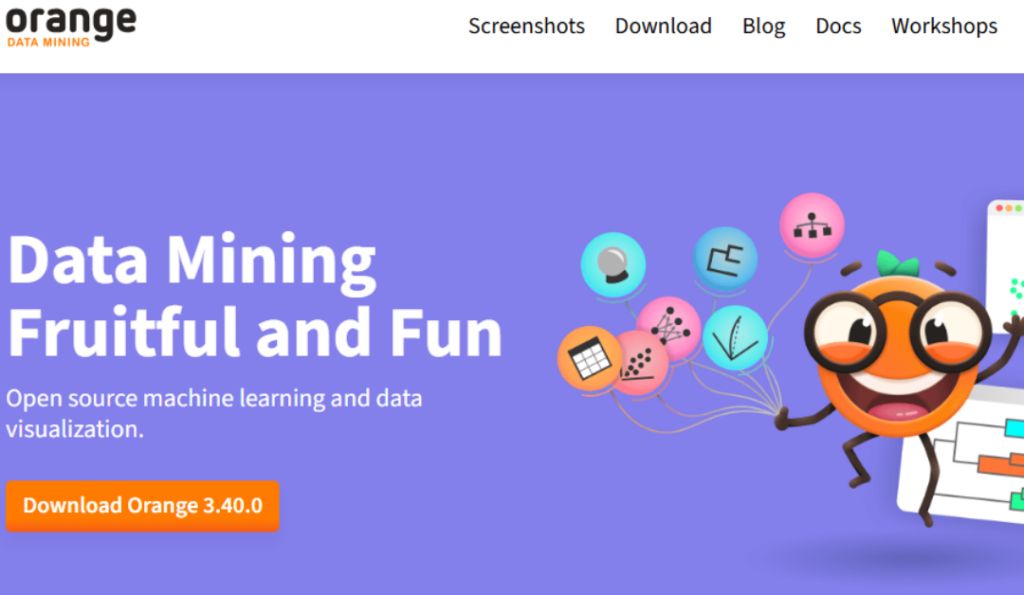
What it is: An open-source visual tool for data visualization and simple ML.
Who it’s for: Educators, students, and researchers.
Why use it: Free and easy to experiment with. Great for learning concepts.
Limitations: Not built for large production systems.
What it is: A tool focused on data cleaning and preparation. Now offered as Cloud Dataprep on some cloud platforms.
Who it’s for: Data engineers and analysts who spend time shaping data.
Why use it: Interactive cleaning, pattern detection, and repeatable jobs.
Limitations: More focused on prep than on modeling.
10. Microsoft Power Platform (Power BI + Power Apps + Power Automate)
What it is: A suite that covers reporting, light app building, and automation.
Who it’s for: Business users who want dashboards and simple data apps.
Why use it: Strong integration with Microsoft tools and good for sharing insights across teams.
Limitations: Not a full ML platform. For advanced models, pair with Azure ML or other services.
How to pick the right tool
Match the tool to the problem. Don’t pick by name recognition alone. Ask these questions:
- Is the task cleaning data, modeling, or reporting?
- Do you need production-grade pipelines or a quick prototype?
- Who will use the tool? Analysts, data scientists, or non-technical staff?
- What budget and infrastructure do you have?
If you want to learn fundamentals, try open tools like Orange or KNIME first. If you work in a team and need reliable pipelines, look at Dataiku or cloud AutoML. For business reports, Power BI or Alteryx can be faster.
Where these tools fit in a learning path
If you’re taking a Data Science Course Online, use low-code tools to practice concepts. They help you see data flow and model decisions without getting stuck on syntax. Later, move to code to deepen your skills. The two paths complement each other.
Use visual tools to:
- Understand data pipelines.
- Rapidly test model ideas.
- Share results with stakeholders.
Use code to:
- Build custom models.
- Optimize performance.
- Learn reproducible research.
Practical tips for beginners
Start with small datasets. Follow tutorials or sample projects. Try to recreate something you know for example, predict sales or clean a contact list. Track what each tool automates. Then try the same task in Python or R. That contrast helps learning.
Also, pay attention to:
- Data size limits.
- Export and integration options.
- How the tool logs steps and versions.
These matter when you move from prototype to production.
Trade-offs to keep in mind
Low-code tools speed things up. But they hide some details. That can be okay for many business problems. It becomes risky when you need tight control over model behavior or transparency. Also, vendor lock-in is real. Moving a workflow from one platform to another can be work. Plan for that early.
Final thoughts
Low-code and no-code tools have a real place in data work. They don’t replace coding. They reduce friction and make data projects more accessible. Use them to learn faster and to deliver results quickly. Then use code when you need control or deeper insight.
If you’re learning a Data Science Course, try one or two of these tools during your course. They’ll make some ideas click faster. And they’ll help you show results to others sooner.
FAQs
1. Are low-code tools useful for beginners?
A: Yes. They help you learn workflows and core concepts without heavy syntax. Use them together with code practice.
2. Will using no-code tools stop me from learning programming?
A: No. They speed up practical work. But you should still learn code to handle complex tasks and to understand what the tools do behind the scenes.
3. Which tool is best for data cleaning?
A: Tools like Trifacta (Cloud Dataprep), KNIME, and Alteryx are strong at cleaning and shaping data.
4. Can I deploy models built in these tools?
A: Many platforms support deployment. Cloud AutoML tools and enterprise platforms like Dataiku and DataRobot include deployment options. Check each tool’s features.
5. Do these tools replace data scientists?
A: No. They change what data scientists spend time on. People still need to design experiments, interpret results, and handle edge cases.
6. How do I choose between low-code and full code?
A: Use low-code for speed and collaboration. Use code for custom models, performance tuning, and research work.
7. Are there free options?
A: Yes. Orange and KNIME have free versions. Some platforms offer free tiers or trials. Check current licensing before you commit.
8. Where can I practice these tools?
A: Many tools offer tutorials and sample data. If you’re enrolled in a Data Science Course Online, try replicating course projects with a visual tool to reinforce learning.