-Recruiters prefer to hire Inventateq Students - Join Inventateq NowSELECT COURSE
6840+ Job Posting Available
-Recruiters prefer to hire Inventateq Students - Join Inventateq NowSELECT COURSE
Placements in Hobby: 1,342
Photography Training Course in Bangalore
Learn photography in Bangalore with a practical workflow built around Adobe Photoshop, Adobe Lightroom, Adobe Bridge, Capture One, and the other tools used in professional photo editing and image management. You will work on camera workflow, retouching, color control, and studio-ready output for photography jobs.
4.9/5 from 3,428 reviews
Hands-on photography training in Bangalore
Learn photo editing, retouching, and workflow tools
Study industry software used by photographers and editors
Build practical skills for studio, event, fashion, and product work
Get guidance for portfolio building and job preparation
Job Interview
Guarantee Program
14,200+ (Placed)
Freshers to IT
7,100+ (Placed)
Non-IT to Tech
5,800+ (Placed)
Career Gap Fillers
6,400+ (Placed)
Upskilling Success
24,999₹
In 60 Days + Placement
Course Fee:₹24,999
Duration:60 Days
Mode:Classroom & Online
Free Session
1 Hour Training Session
Get Job with our Guaranteed Placement Support Program
Placement Assistance for Photography Professionals in Bangalore
Learning photography is only part of the job path. You also need a portfolio, a clear presentation of your work, and interview readiness for roles such as photographer, photo editor, retoucher, and studio photographer in Bangalore.
Our Signature Career Support:
Resume and portfolio guidance for photography roles
Support for presenting edited work and before-after samples
Mock interview preparation for photo editor and photographer roles
Career guidance for studio, event, product, and fashion photography jobs
Mentor support for job search readiness and professional presentation
Photography Salary Insights in Bangalore
Photography jobs in Bangalore are available across studios, events, fashion, product shoots, media, and content teams. Pay usually grows with the quality of your portfolio, editing skill, and the kind of projects you can handle independently.
Average Salary by Experience
Photography Salary Insights in Bangalore
Photography jobs in Bangalore are available across studios, events, fashion, product shoots, media, and content teams. Pay usually grows with the quality of your portfolio, editing skill, and the kind of projects you can handle independently.
Average Salary by Experience
Why Students Choose Our Photography Course in Bangalore?
4.9/5 Google Rating | 3,428+ Verified Reviews
4.9 / 5
By Google Reviews
Jd
4.9 / 5
By Justdial
S
4.9 / 5
By Sulekha Courses
4.9 / 5
By Course Suggest
Success Result:Our students are competing at global levels. Watch their placement journey here.
Bigdata Hadoop Placement Success Stories
Data Engineering @ Accenture - 12 LPA
Student Honest Reviews for Tally Course
Junior Accountant @ Fortis - 8 LPA
What Students Say About Our SQL Course
SQL Developer @ Wipro - 10 LPA
Genuine Student Feedback on Our SalesForce Course
Salesforce Administrator @ Deloitte - 15 LPA
How Our RPA Course Helped Students Build Their Careers
RPA Developer @ IBM - 20 LPA
Learning to Getting Hired – Tableau Student Reviews
Authentic Student Experiences on our Anjular Js Course
Angular Developer @ Capgemini - 15 LPA
Honest Student Reviews for Data Science Course
Data Analyst @ Amazon - 25 LPA
What Students Say About the Java Course
Java Developer @ Oracle - 25 LPA
Student Video Review for CATIA Course
CATIA Design Engineer @ TATA Motors - 20 LPA
Authentic Student Reviews for AWS Course
AWS Solutions Architect @ Accenture - 25 LPA
Honest Opinions from Python Course Students
Python Developer @ Mphasis - 15 LPA
Real Student Reviews for Software Testing
QA Engineer @ HCLTech - 15 LPA
Devops Course Reviews & Placement Experiences
Cloud DevOps Engineer @ LTIMindtree - 18 LPA
Digital Marketing Course Success Stories | Student Reviews
Digital Marketer @ Google - 20 LPA
Inventateq Classroom Tour
BTM Layout @ Inventateq - -
Students Who Took the First Step
Genuine Reviews @ Inventateq - 25 LPA - 50LPA
0.0
GOOGLE RATING
0k+
REVIEWS
4.9/5 · 3,428+ Verified Reviews
About Inventateq Photography Training Institute in Bangalore
Inventateq teaches photography with a practical workflow, not just theory. The training focuses on real editing tools, image handling, retouching, color management, and delivery-ready output, so learners can move from basic camera work to professional photo production.
We stand apart through our commitment to:
Learn tools used in real photography and editing workflows
Work on practical photo processing and retouching tasks
Understand studio and production-style image preparation
Get mentor support while building your portfolio
Use flexible training support for learning around your schedule
Live Online
Remote Learning
AI Online Live Classes
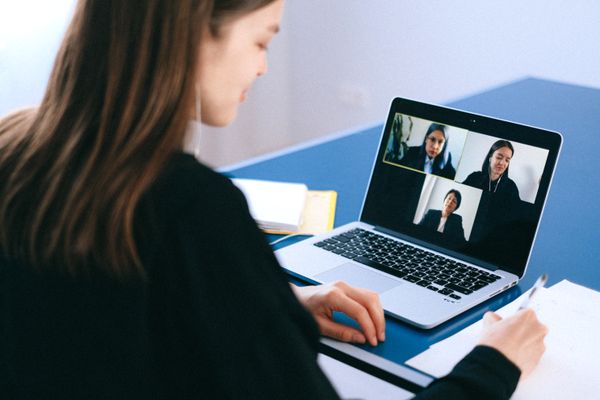
Live online photography training from Bangalore is designed for learners who want flexibility without losing structure. You can attend practical classes, ask questions in real time, and follow the same editing and workflow steps from home.
Live interactive classes with practical coding demonstrations
Recorded sessions available for revision and practice
Weekly assignments with mentor feedback and guidance
Real projects covering Generative AI, LLMs, and Agentic AI
Online career guidance and interview preparation support
Photography Training Program
Beginners
Good for learners starting photography from the basics and wanting a structured path.
Aspiring photographers
Useful for people who want to move into studio, event, fashion, or product photography.
Photo editors
Fits learners who want to improve editing, retouching, and image finishing skills.
Content creators
Helps creators who need stronger photo quality for client work and social content.
Working professionals
Suitable for those looking to add photography or editing skills to their current role.
Quick Highlights of Inventateq Photography Course
Course Duration
Mode: Offline classroom and live online learning options
Training style: Practical sessions with guided exercises
Skill level: Suitable for beginners and career switchers
Support: Mentor-led learning with portfolio focus
You can join even if you are starting from the basics.
Photography Training Curriculum
1. Photography Fundamentals and Workflow (Week 1)
W1
•Basic shooting workflow from capture to final delivery
•Understanding image selection and file handling
•Introduction to editing and workflow discipline
•Preparing photos for later processing and output
2. Photo Editing with Adobe Photoshop and Lightroom (Week 2)
W2
•Editing images in Adobe Photoshop
•Organizing and adjusting photos in Adobe Lightroom
•Basic enhancement, correction, and cleanup work
•Improving image quality for different output needs
3. Asset Management with Adobe Bridge and Media Tools (Week 3)
W3
•Using Adobe Bridge for file browsing and selection
•Working with Capture One and Phase One Media Pro
•Managing large sets of image files efficiently
•Sorting and preparing photos for editing
4. Advanced Retouching and Image Enhancement (Week 4)
W4
•Retouching with Affinity Photo and GIMP
•Using PortraitPro and Topaz DeNoise AI
•Applying Alien Skin Exposure and DxO PhotoLab effects
•Refining portraits and improving image clarity
5. Color Control and Calibration (Week 5)
W5
•Camera calibration tools for consistent capture
•Color management software and ICC profiles
•Matching image output across devices and edits
•Keeping photo colors accurate for delivery
6. Studio and Production Workflow (Week 6)
W6
•Studio lighting control software basics
•Working with Wacom Tablet Software for precision edits
•Preparing professional output for studio work
•Organizing the final image package for clients
7. Photo Distribution and Publishing Workflow (Week 7)
W7
•Using Adobe Stock, Getty Images, and Shutterstock
•Preparing images for media and publishing workflows
•Exporting files for digital use and client delivery
•Understanding how edited photos move into production
8. Video and Motion Support for Photographers (Week 8)
W8
•Final Cut Pro for basic media handling
•Adobe Premiere Pro for photo and video workflow support
•DaVinci Resolve for finishing and media preparation
•After Effects for simple motion-based presentation needs
Rated 4.9/5
Why Inventateq for Photography Training in Bangalore?
Inventateq keeps the training practical and aligned with the tools used in real photography and editing work. Learners get guided practice on image selection, editing, retouching, color control, and delivery, so the course stays focused on usable skills.
Why Students Trust Inventateq Bangalore
Trainers explain photography workflow in a clear, practical way
Curriculum is aligned with editing and production tools used in jobs
Learners get support while building a useful portfolio
The classroom environment is focused and easy to follow
Students receive career guidance for photography-related roles
Build Practical Photography Skills for Real Job Roles
This course helps you work on real photo workflows, from editing and retouching to file management and output preparation. You leave with hands-on practice that supports photography and photo editing careers.
Edit Photos with Professional Tools
Learn how to use Photoshop, Lightroom, Bridge, Capture One, and related tools to process images properly. This gives you the foundation to handle day-to-day editing work.
Retouch and Refine Final Images
Practice cleanup, enhancement, and detailed finishing using tools such as Affinity Photo, GIMP, PortraitPro, and Topaz DeNoise AI. You build the kind of finishing skill employers expect.
Manage Large Image Workflows
Work with file browsing, image sorting, and asset handling tools used in professional environments. This helps you stay organized when handling many photos.
Understand Studio and Color Workflow
Learn how studio lighting control, calibration tools, and ICC-based color management support consistent results. This matters for portraits, products, and commercial shoots.
Prepare Work for Media and Publishing
See how photos are prepared for stock libraries, media use, and production delivery. The course connects editing with how files are actually used after the shoot.
Build a Portfolio for Jobs
Create work samples that can support applications for photographer, editor, retoucher, and studio roles. The course keeps portfolio presentation in view throughout the training.
Certification for Photography Training
This certification shows that you have trained in photography workflow, editing, retouching, and image management tools used in professional work. It helps employers see that you can handle practical tasks, not just theory.
Adobe Photoshop and Adobe Lightroom
Earn this certificate upon successful completion of our training program.
Adobe Bridge and Capture One
Validate your skills with recognized industry credentials.
Photo retouching and image enhancement tools
Earn this certificate upon successful completion of our training program.
Color management and studio workflow tools
Validate your skills with recognized industry credentials.
Detailed Insights: Photography Training in Bangalore
Students Frequently Asked Questions
Is this photography course suitable for beginners?
Yes. The training is suitable for beginners who want a clear start in photography and editing. You learn the workflow step by step, so you can build skill without needing prior professional experience.
Will I get hands-on practice in this course?
Yes, the course is practical and focused on workflow, editing, retouching, and output preparation. You work with the tools and processes that are actually used in photography jobs. That makes the training more useful for portfolio building.
Does Inventateq provide placement assistance for photography jobs?
Yes, placement support is part of the course. You get help with portfolio preparation, resume guidance, mock interviews, and job-role direction. The support is aimed at roles like photographer, photo editor, and retoucher.
Can non-technical students join this course?
Yes. Photography does not require a technical background to begin. If you are interested in shooting, editing, and image presentation, the course can help you build skills from the basics.
Is live online training available from Bangalore?
Yes, live online training is available and can be accessed from Bangalore or other locations. You still learn with mentor guidance and practical examples. It is a good option if you want flexibility without missing the core training.
How long is the photography training program?
The course duration depends on the batch format and learning pace. What matters most is that you get enough guided practice to understand editing tools, retouching, and workflow. The institute can help you choose a suitable schedule.
Explore more
Other Training Locations
Browse the same course in nearby cities and training hubs.
Launch your fastest career with Inventateq! Our program equips you with in-demand skills to unlock insights from big data and land your dream job. Join us and become a career hero!